How can we help?
Ask our assistant, watch a short walkthrough, or talk to us.
What is the application process?
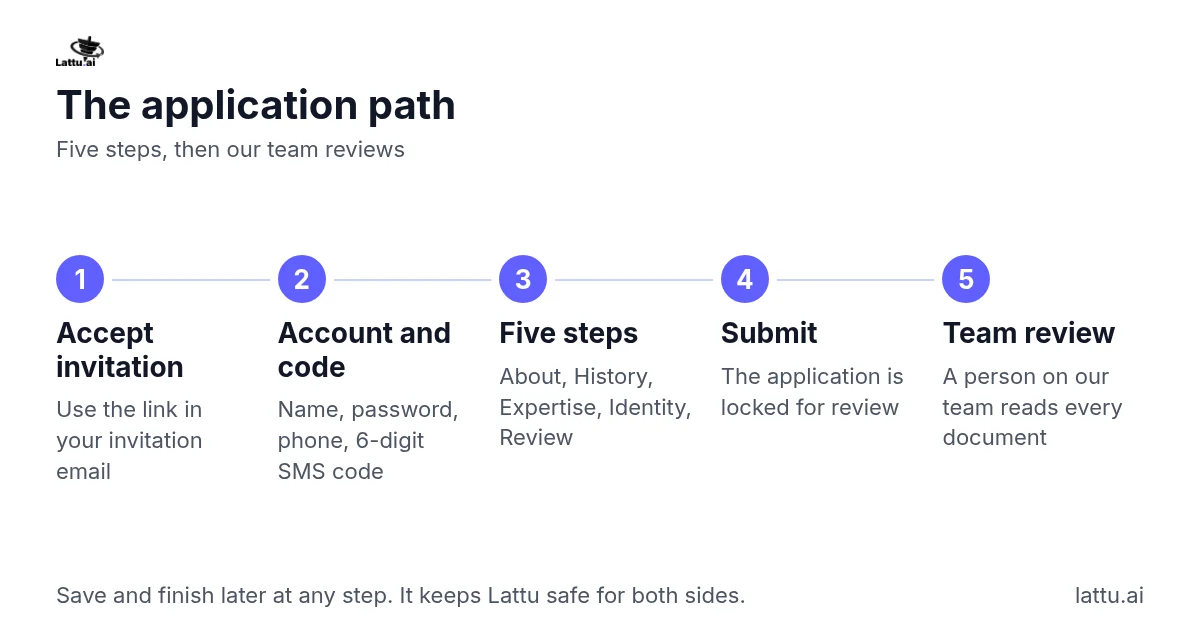
After you accept your invitation, you create an account and complete a 5-step application. Then our team reviews it. You set your name, a password and your phone number, and confirm the number with a 6-digit code sent by SMS (Bangladeshi numbers only for now). Students never see this number. To see what to gather before you start, read "Which documents do I need for my role?" The five steps are:
- About: your name, photo and a short bio.
- History: your education and experience.
- Expertise verification: the documents that prove your role.
- Identity verification: your ID and a photo of you holding it.
- Review and submit.
You can use "Save and finish later" at any step and come back, and your progress stays where you left it. Once you submit, the application is locked for review, so check it first. If something needs to change after that, contact Support.
We know this is a lot to ask. We do it because it keeps Lattu safe for both sides. Students know the people they book are who they say they are and are professional in their field. A person on our team reads every document. An automatic pre-check only flags problems, such as a blurred scan, and never approves or rejects anyone.
If it does not work: If the Next button stays gray, a required item on that step is still empty, so look for the field you have not filled in. If your code does not arrive, check that the number is correct, then contact Support.
Related articles
Still stuck?